Evals
export const meta = { title: 'Evals', description: 'View eval runs and inspect run details with read-only access in Canary.', tags: ['reference'], };
Evals give you a read-only view into eval activity for your organization. Use this page to understand what ran, review run status, and inspect details for individual eval runs.
01When to use evals
Use evals when you need to review evaluation activity without changing configuration or rerunning anything. This is useful when you want to confirm what ran, compare outcomes across runs, or investigate a specific run in more detail.
Evals are especially helpful if your team already uses the evals product and you need a single place in Canary to inspect run history. You can use the runs list to scan recent activity, then open a run to review its details.
02What you can view today
The current evals experience focuses on visibility. You can browse eval runs and open individual runs to inspect their details, but the experience is read-only.
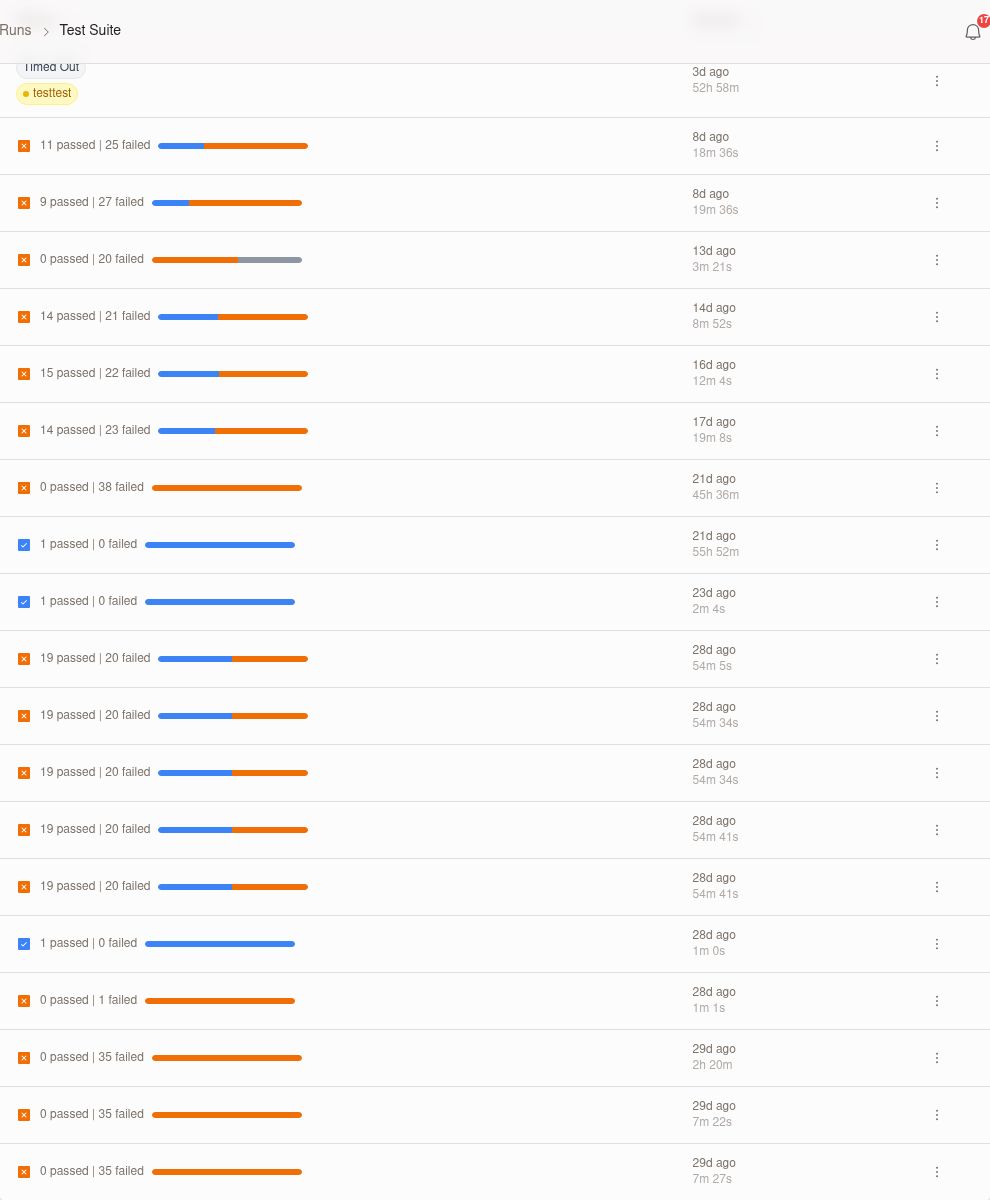
Eval runs list
Open the evals area to see a list of available eval runs for your organization. Use this view to quickly identify recent runs and understand high-level run information before you open a specific result.
The runs list is best for answering questions like:
- Which eval runs completed recently
- Which runs need closer review
- Which run you should open to inspect details
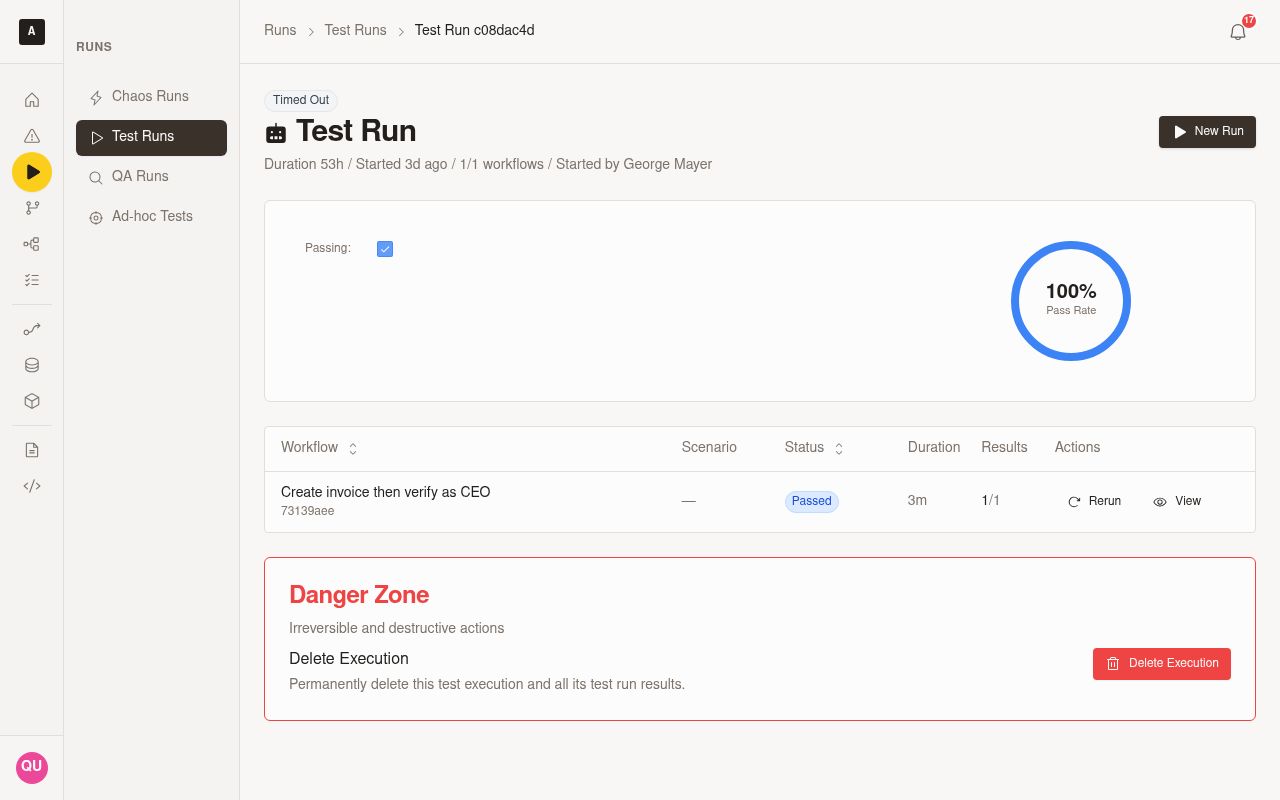
Eval run details
Select a run from the list to open its detail view. Use this page to inspect the run more closely and review the information Canary exposes for that specific eval run.
The detail view helps you move from a high-level scan to focused investigation. Open it when you need to understand a specific run rather than the full list.
03Access and permissions
Evals are available behind a feature flag. If you do not see the evals experience in your property, confirm that your organization uses the evals product and that access has been enabled for your environment.
Your access is currently read-only. You can view eval runs and run details, but you cannot edit evals, trigger runs, or change configuration from this experience.
04Current limitations
The current release is intentionally limited in scope. Use the table below to understand what is available today.
| Capability | Availability |
|---|---|
| View eval runs list | Available |
| View eval run details | Available |
| Edit eval configuration | Not available |
| Start or rerun evals | Not available |
| Change results from Canary | Not available |
Expect this experience to focus on inspection rather than management. If you need to take action on an eval, use the workflow your organization already uses outside this read-only view.
05Best practices
- Use the runs list first to narrow down which eval run you need to inspect.
- Open run details when you need context for a specific result or outcome.
- Confirm feature access early if the evals area does not appear in your property.
- Share direct run context with teammates during investigations so everyone reviews the same run.
- Treat this page as a reference and review surface, not an editing workflow.