Seed Data
export const meta = { title: 'Seed data', description: 'Manage setup data, declared outputs, and optional teardown workflows so your flows and suites start from a known state and clean up after themselves.', tags: ['reference'], };
Seed data lets you prepare test data before a run and manage the records that setup creates from one place. Use it to define setup workflows, track declared outputs in the catalog, and pair setup with teardown so cleanup is part of the same end-to-end workflow.
01When to use seed data
Use seed data when your flows or suites need a predictable starting state. Seed data is especially useful when you need to create accounts, records, or other reusable entities before validation begins.
Choose seed data when you want to:
- Reuse the same setup across multiple flows or suites
- Keep track of data created during setup
- Make provisioned records easier to inspect from the catalog
- Add a teardown workflow so cleanup is easy to run and maintain
- Reduce test flakiness caused by missing or inconsistent preconditions
02Core concepts
Seed data combines setup workflows, declared outputs, and optional teardown workflows. Together, these let you create data intentionally, reference it later, and clean it up when you no longer need it.
Seed workflows
A seed workflow is the setup flow that provisions the data you need before execution. Use a seed workflow to create the users, records, or configuration your tests depend on.
Keep each seed workflow focused on a single setup goal. Smaller, purpose-built workflows are easier to reuse, verify, and pair with teardown later.
Seed outputs
Seed outputs are the values your seed workflow declares for later use. These outputs make created data visible in the catalog and give you a stable way to reference provisioned entities in downstream automation.
Use outputs for identifiers and important values you want to inspect or pass into other workflows. Declare outputs clearly so anyone reviewing the catalog can understand what data the seed produced.
When a seed workflow provisions login credentials, declare only the values that downstream steps need to reference. Then map those outputs in the downstream login step settings so the login step can use the seeded account directly.
If you already reuse an existing authenticated session, do not map seeded credentials unless you want the login step to sign in with the provisioned account for that run. Session reuse and seeded credentials are separate options, so review the login step settings carefully before you save.
Teardown workflows
A teardown workflow removes or resets the data created during setup. Add a teardown workflow when seeded data should not remain in the environment after testing finishes.
Teardown cleanup is more reliable for setup, teardown, and property scoping, so cleanup data is less likely to drift or disappear between setup and teardown. Expect Canary to use the same seed context and property scope for cleanup that it used when setup created the data.
Keep teardown scoped to the same property and same seeded entities as the setup workflow. Do not use one teardown workflow to clean up unrelated data from a different property or a separate seed entry.
Expect teardown timing to follow the workflow you configure. If you attach teardown to run after each test, Canary attempts cleanup after each test completes. If you keep teardown at the suite level, cleanup runs later and temporary data can remain available until the suite finishes.
If a run stops early, teardown still depends on the configured cleanup point being reached. Use per-test or inline teardown when temporary records should be removed as soon as each test finishes and when you want to reduce cleanup gaps after interrupted suite runs.
If a seed script does not already have teardown, the catalog now shows a Teardown button so you can start cleanup setup without first configuring a teardown flow. Click Teardown to create a teardown flow directly from the seed data entry so setup and cleanup stay connected in one place.
When you add teardown from the catalog, Canary creates a teardown flow for that seed script. Use that flow to archive, delete, or reset the records created during setup.
03Managing seed data from the catalog
Use the seed data catalog to review what a seed workflow provisions and maintain how that data is tracked. This is also where you can add, enable, or disable teardown behavior.
Viewing provisioned data
Open the seed data entry from the catalog to review the records and values created by the seed workflow. Use this view to confirm that setup completed as expected and to understand what data is available for later steps.
This view is most helpful when you need to inspect created entities before debugging a flow or updating a suite that depends on seeded state.
Editing declared outputs
Edit declared outputs when the seed workflow creates values you want to expose more clearly in the catalog. Keep names specific and user-facing so other team members can quickly understand what each output represents.
Review outputs whenever the seed workflow changes. If setup starts creating different records or identifiers, update declared outputs so the catalog remains accurate and useful.
If a downstream login step needs a username, email, password, or similar credential from the seed workflow, declare that value here first. This makes the credential available as a seed output so you can select it in the login step settings later.
Adding a teardown flow
Use Teardown when a seed script has setup logic but no cleanup workflow yet. This button appears in the catalog even before a teardown flow exists, which makes cleanup setup easier to discover.
- Open the relevant seed data entry in the catalog.
- Find the Teardown button.
- Click Teardown.
- Open the new teardown flow that Canary creates for the seed script.
- Add the cleanup steps you want to run for the records created during setup.
- Click Save.
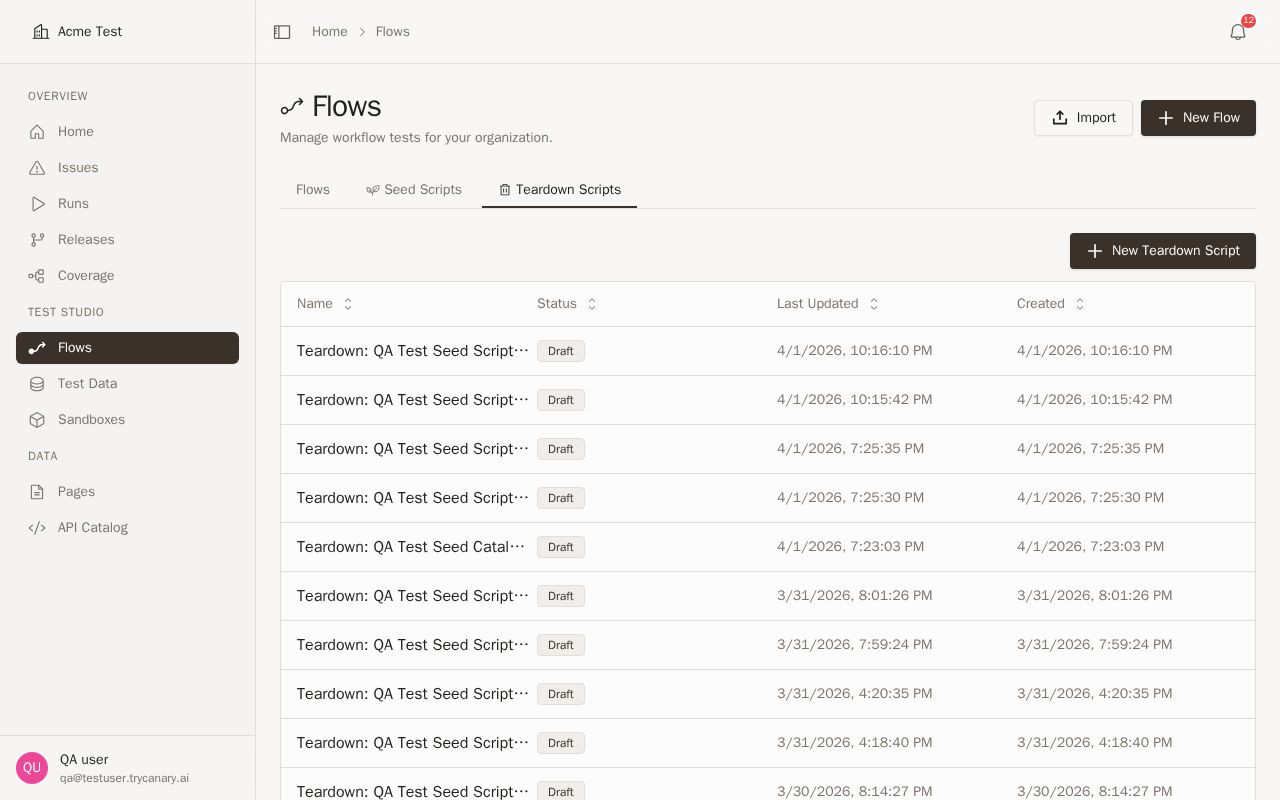
Use the generated teardown flow as the cleanup pair for the original seed script. Keep it scoped to the same entities and outputs created during setup so cleanup stays predictable and easy to maintain.
Enabling or disabling teardown
Enable teardown when you want cleanup to run as part of your seed data lifecycle. Disable it when you need to preserve provisioned data for investigation, demonstrations, or longer-lived test environments.
- Open the seed data entry in the catalog.
- Find the teardown control on the Seed Data page.
- Turn teardown on or off for that seed data entry.
- Save your changes.
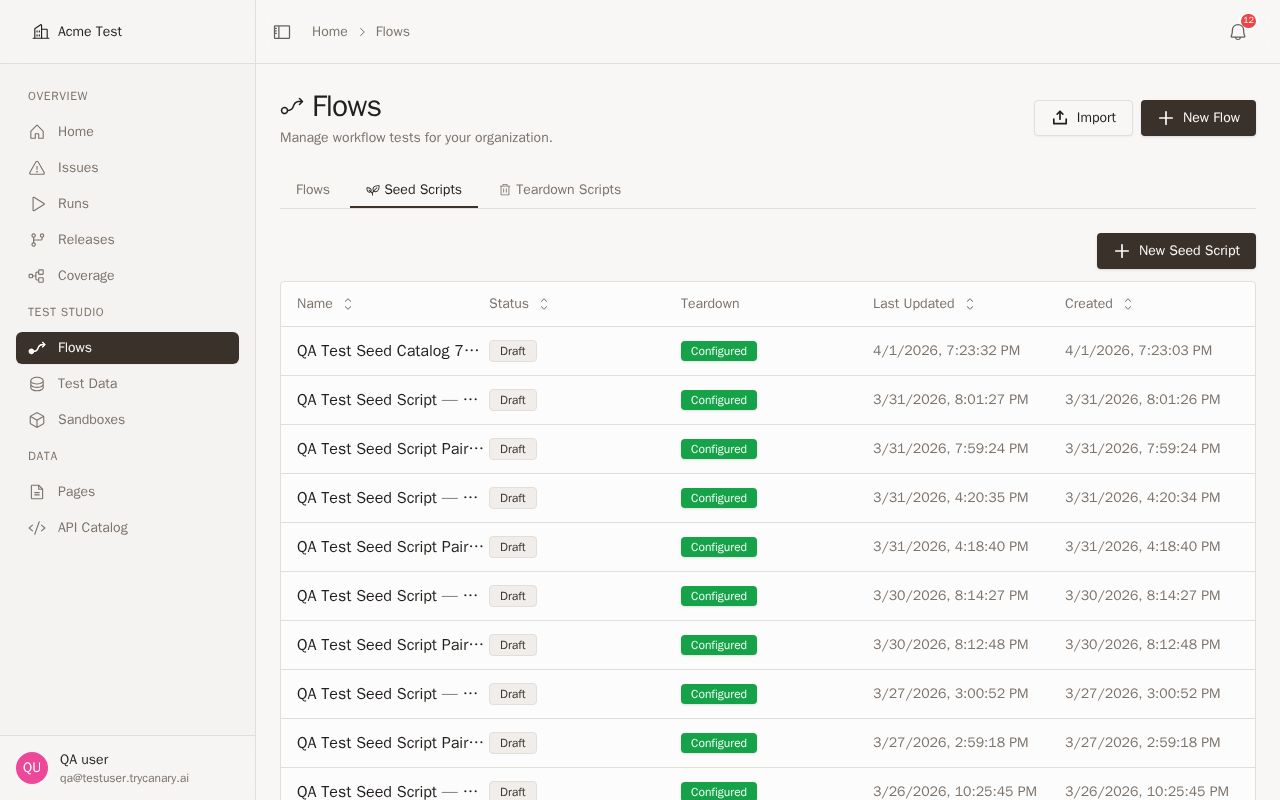
Disable teardown carefully. Leaving seeded data in place can help with debugging, but it can also make later runs harder to reason about if old records remain in the environment.
04Using seed data in flows and suites
Use seed data when a flow or suite depends on known records existing before validation starts. Attach or reference the appropriate seed setup so each run begins from a controlled state instead of relying on leftover data.
When possible, match one seed data entry to a clear testing scenario. For example, use one seed for account creation, another for subscription setup, and another for role-based access scenarios. This makes it easier to compose flows and suites without overloading a single setup workflow.
If your tests create temporary data, pair the seed with teardown so the same workflow family handles both provisioning and cleanup. This keeps environments cleaner and reduces manual maintenance between runs.
When you run seeds in suites, choose teardown timing based on how isolated each test needs to be. Use per-test teardown when each test creates temporary data that should be removed before the next test runs. Use suite-level teardown when seeded state is meant to stay available across multiple tests in the same suite.
Inline or per-test teardown is the best fit when you want to reduce leftover temporary data after long or partially completed suite runs. This approach shortens how long test records remain in the environment and makes cleanup less dependent on the suite reaching its final teardown step.
05Configuration
Validation for seeded workflows now handles inherited parent-seed variables more accurately. If your seeded workflow or teardown workflow references variables provided by a parent seed, Canary recognizes those inherited values during validation instead of flagging them as missing.
Canary also runs a seed automatically when a downstream step depends on one of that seed's declared outputs. You do not need to add extra setup steps just to make those values available before dependent steps run.
Use declared outputs to control how downstream login steps receive seeded credentials. If your seed provisions a test user, declare the login fields you need, such as email or password, and then map those outputs in the downstream login step settings.
If a login step is configured to reuse an existing session, review that setting before mapping seed outputs. Reusing a session keeps the existing authenticated state, while mapping seeded credentials tells the login step which provisioned account to sign in with.
Set an API timeout on a seed when its setup or teardown calls need more or less time than the rest of the workflow. This timeout applies to that seed's API work without changing timeout behavior for other steps in the run.
- Open the seed configuration.
- Find the API timeout setting.
- Enter the timeout value you want Canary to use for that seed.
- Save your changes.
Use a longer timeout for slower provisioning or cleanup calls. Use a shorter timeout when you want setup or teardown failures to surface sooner.
When you configure seed data, use the following checks:
| Configuration area | What to confirm |
|---|---|
| Seed workflow outputs | Declare every value that downstream flows, suites, or teardown steps need to reference |
| Login step credential mapping | Map seeded credential outputs only when the downstream login step should sign in with the provisioned account |
| Existing session reuse | Leave credential mapping unset when you want the login step to reuse an existing authenticated session instead |
| Inherited variables | Keep inherited parent-seed variables referenced by their expected names so validation can recognize them |
| Seed API timeout | Set a timeout that matches the expected duration of the seed's setup and teardown API calls without changing other workflow timeouts |
| Teardown workflow references | Reference seed-created or inherited values directly when cleanup depends on them |
| API sequence mapped outputs | If a seed uses an API sequence, confirm any mapped output you plan to use downstream is exposed as a declared output |
If you map values from an API sequence into a seed workflow, review both request-body and response-body mappings before you save. Then declare any mapped value that another step, flow, or teardown workflow needs to consume later.
06Best practices
- Keep seed workflows narrow and reusable
- Declare outputs for the records and identifiers other workflows need
- Add teardown for data that should not persist after testing
- Use Teardown from the catalog as soon as a seed script needs cleanup, even if no teardown flow has been configured yet
- Update the generated teardown flow whenever setup starts creating new records or changing what needs to be reset
- Disable teardown only when you intentionally need seeded data to remain available
- Review catalog outputs after changing setup logic
- Use clear names so setup data is easy to understand across teams
- Declare mapped outputs from API sequences when downstream steps or teardown workflows depend on them
- Let dependent steps trigger seed execution automatically, but still review declared outputs so dependencies stay obvious
- Reuse inherited parent-seed variables consistently across seeded and teardown workflows to avoid unnecessary validation issues
- Map seeded credentials into downstream login steps only when you want the run to authenticate as the provisioned user
- Leave login credential mapping unset when you want to reuse an existing authenticated session instead
07Troubleshooting
Use this section to set expectations when cleanup does not happen exactly when you expect.
| Situation | What to check |
|---|---|
| Temporary test data remains until the suite ends | Confirm whether teardown runs at the suite level instead of after each test |
| Some records remain after an interrupted or partially completed suite | Move cleanup closer to each test with per-test or inline teardown when those records should not persist |
| Cleanup runs, but seeded records still appear during debugging | Check whether teardown is disabled for that seed data entry |
| Cleanup misses a record type created during setup | Review the teardown workflow and add cleanup steps for any new records the seed now creates |
| Cleanup data appears missing in teardown | Confirm that the seed declares every output the teardown workflow needs and that cleanup runs in the same property scope as setup |
| Shared seeded data looks reset or re-created after a workflow resumes | Confirm the run resumed from the expected seed context, then review whether the flow is relying on undeclared values instead of seed outputs |
| Teardown runs in the wrong environment or against the wrong records | Check that the seed, teardown workflow, and run all use the intended property and that the teardown is paired only with the matching seed data entry |
| Later tests behave as if old data still exists | Reduce shared seeded state and use per-test teardown for temporary test data |
If a workflow resumes, expect Canary to preserve the existing seeded data context instead of reinitializing shared seeded data. If resumed steps need setup values, reference declared seed outputs so the resumed path can continue with the same seeded records.
If cleanup data appears missing, start by reviewing the seed entry in the catalog. Confirm that setup completed, that the expected outputs are declared, and that teardown is enabled for that entry.
If cleanup still does not remove the expected data, check the run configuration before editing the workflow. Verify that the run used the intended property, then confirm that the teardown flow references the same seeded entities created during setup.
If cleanup timing matters for test isolation, prefer per-test teardown over waiting for final suite cleanup. If you intentionally keep data available for investigation, disable teardown and remove the leftover records manually when you finish debugging.